

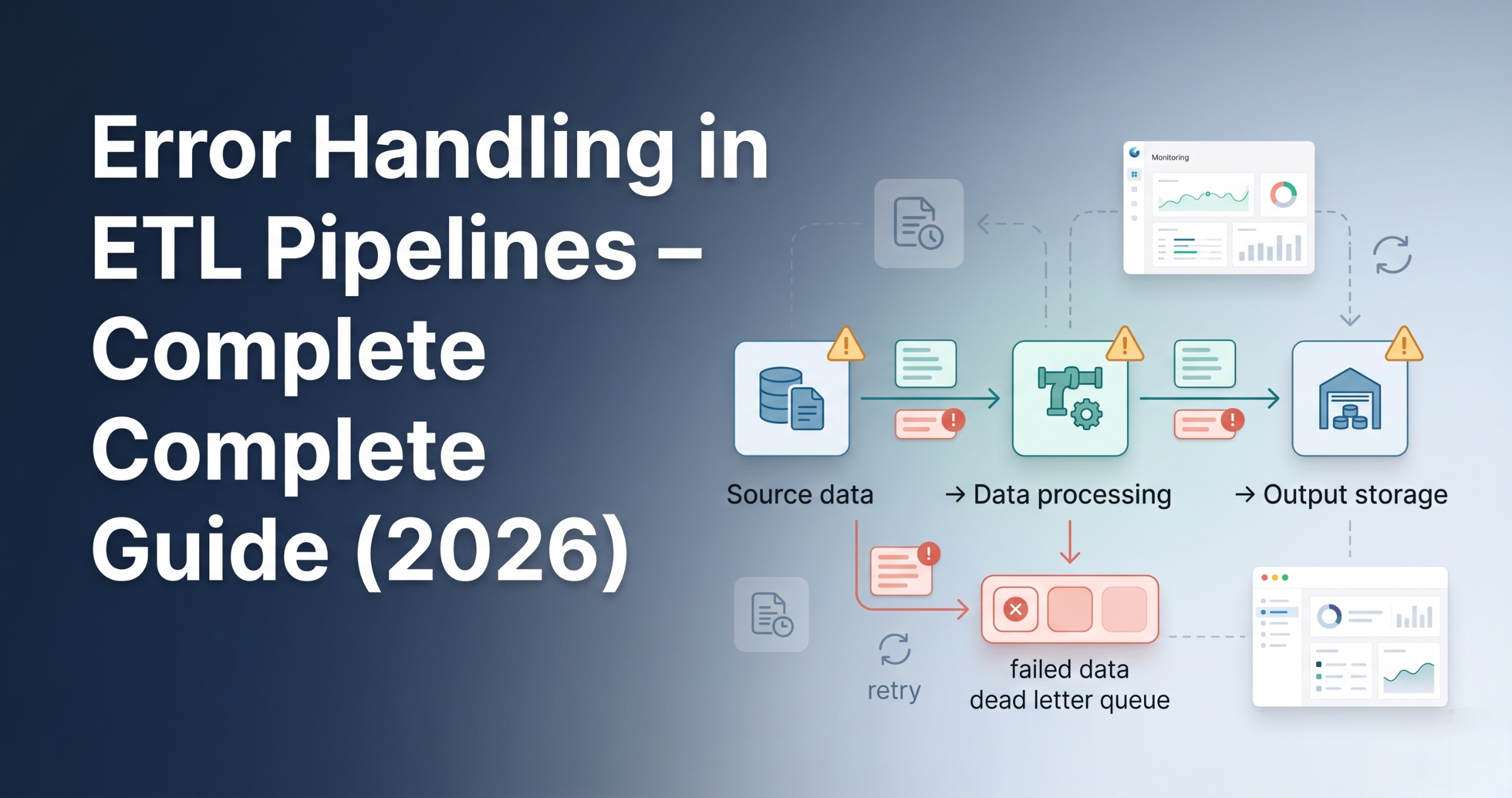
Error Handling in ETL Pipelines – Best Practices and Real Examples Introduction Trying to understand error handling in ETL pipelines but not sure what actually needs to be handled? You’re not alone. Most people: But ignore error handling. And in real projects, pipelines fail frequently due to data issues, system failures, or integration problems. Because without proper error handling, pipelines break and data becomes unreliable. In this blog, you’ll understand: Error handling in ETL pipelines ensures that failures are detected, logged, and managed properly without breaking the entire pipeline. Why Error Handling is Important Without error handling, small issues can stop entire pipelines. Types of Errors in ETL Pipelines Data Errors System Errors Logic Errors Step 1: Validation Before Processing Validate data before processing. Examples: If validation fails, stop pipeline early. Step 2: Try-Catch Handling Handle errors during processing. Instead of failing entire job: Step 3: Logging Errors Every failure must be logged. Logs include: Helps in debugging. Step 4: Retry Mechanism Temporary failures should be retried. Examples: Retry logic helps recover automatically. Step 5: Dead Letter Handling Failed records should be separated. Instead of stopping pipeline: This is called dead-letter handling. Step 6: Alerts and Notifications Notify team when failure happens. Using: Ensures quick response. Step 7: Fail Fast Strategy If critical error occurs: Avoids bad data from spreading. Step 8: Partial Processing Process valid data even if some records fail. This ensures: Step 9: Monitoring and Tracking Track pipeline execution. Monitor: Step 10: Recovery Strategy After failure: Ensures no data loss. How Error Handling Fits in ETL Pipeline Typical flow: Real-World Example E-commerce pipeline: Common Mistakes
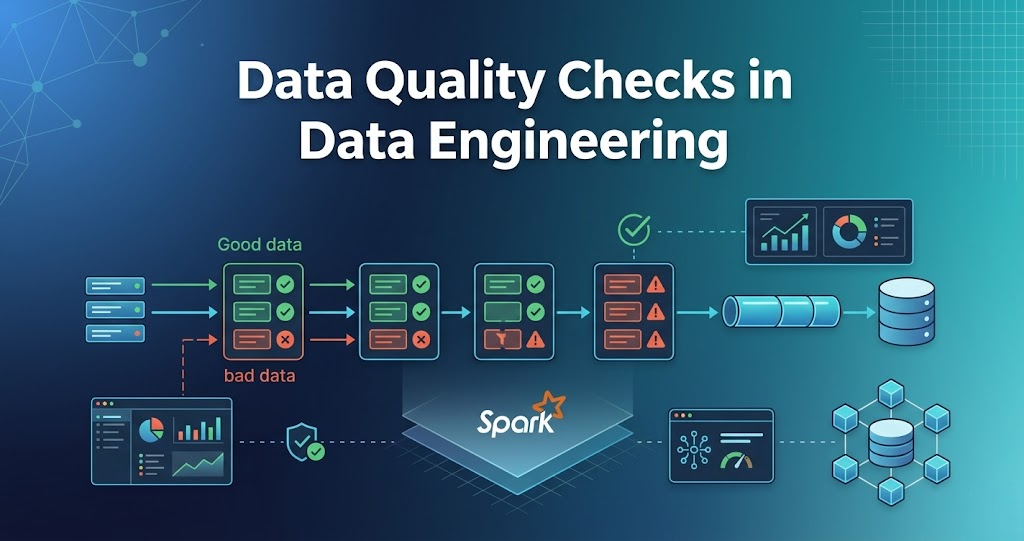
Data Quality Checks in Data Engineering – Complete Guide (Real Scenarios 2026)
Data Quality Checks in Data Engineering – Rules, Examples Introduction Trying to understand data quality checks in data engineering but not sure what actually needs to be checked? You’re not alone. Most people: But ignore data quality. And in real projects, bad data is a bigger problem than slow pipelines. Because processing wrong data gives wrong results. In this blog, you’ll understand: Data quality checks are validations applied to data to ensure it is correct, complete, and reliable before processing or analytics. Why Data Quality Checks are Important Without data quality checks, pipelines produce invalid results. Where Data Quality Checks Happen In real pipelines, checks happen at multiple stages: Step 1: Schema Validation Check if data matches expected structure. Examples: If schema is wrong, pipeline should fail. Step 2: Null Checks Check for missing values. Examples: Null values can break downstream processing. Step 3: Duplicate Checks Check for duplicate records. Examples: Duplicates create wrong analytics. Step 4: Data Type Validation Check if data types are correct. Examples: Wrong data types cause errors. Step 5: Range Checks Check if values fall within valid range. Examples: Step 6: Business Rule Validation Check based on business logic. Examples: This ensures data correctness. Step 7: Consistency Checks Check data consistency across datasets. Examples: Step 8: Data Freshness Check Check if data is up to date. Examples: Step 9: Record Count Validation Check number of records. Examples: Helps detect data loss. Step 10: Format Validation Check data format. Examples: How Data Quality Checks Fit in Pipeline Typical flow: Real-World Example E-commerce pipeline: Common Mistakes
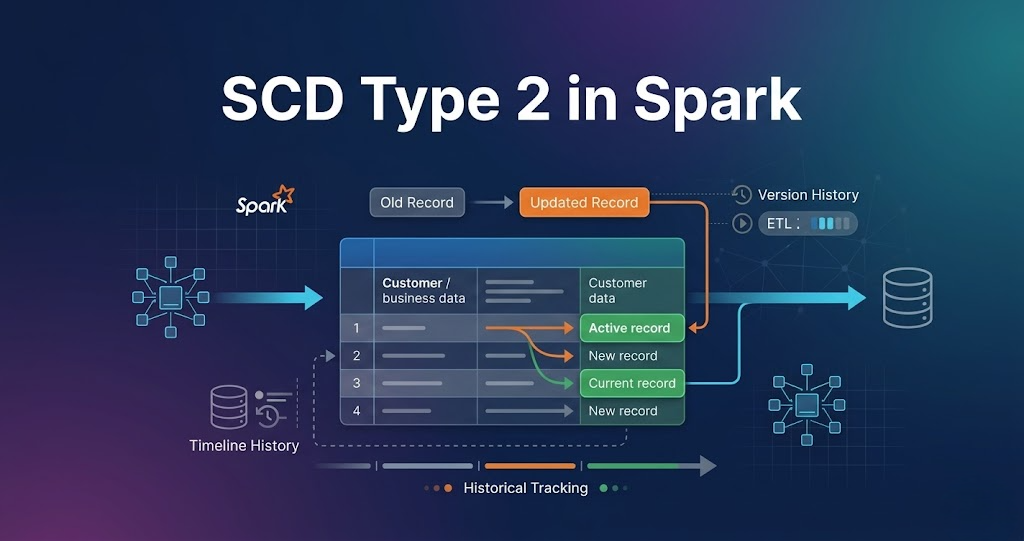
Handling Slowly Changing Dimensions (SCD Type 2 in Spark) – Complete Guide
Introduction Trying to understand SCD Type 2 in Spark but getting confused? You’re not alone. Most people: But when asked how SCD Type 2 is implemented in real data pipelines, they get stuck. Because knowing theory is not equal to knowing how data actually changes in production systems. In this blog, you’ll understand: SCD Type 2 in Spark is used to track historical data changes by inserting new records and marking old records as inactive instead of updating them. What is Slowly Changing Dimension (SCD)? Slowly Changing Dimension is used to track changes in data over time. Example: When a customer changes city, instead of updating the existing record, a new record is created and history is preserved. What is SCD Type 2? SCD Type 2 stores full history of changes. In simple terms: Whenever data changes, a new record is created, and the previous record is marked as inactive. Why SCD Type 2 is Important Without SCD Type 2, old data is lost. Key Columns in SCD Type 2 Typical columns used: These columns help track when data was valid. Real Scenario Customer changes city from Delhi to Mumbai. Instead of updating the old record: This keeps complete history. Step-by-Step SCD Type 2 in Spark (Real Flow) Step 1: Read Source Data New data comes from source systems. Step 2: Read Existing Data Existing data contains historical records. Step 3: Filter Active Records Only active records are considered for comparison. Step 4: Identify Changes New data is compared with existing active data to find changes. Step 5: Expire Old Records Old records are updated: Step 6: Insert New Records New records are inserted with: Step 7: Keep Unchanged Records Records with no changes are kept as is. Step 8: Merge All Records All records are combined: Step 9: Write Back Data Final dataset is written back to storage. SCD Type 2 Flow in Spark Real-World Pipeline SCD Type 2 in Spark is widely used in data engineering pipelines to maintain historical data. Common Mistakes These issues break SCD Type 2 implementation
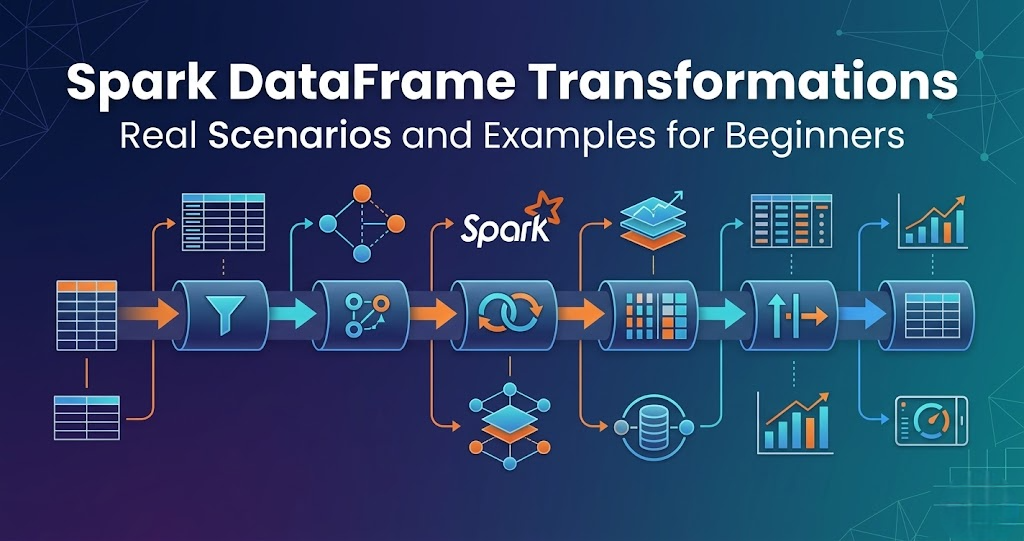
Spark DataFrame Transformations – Real Scenarios and Examples for Beginners
Introduction Trying to learn Spark DataFrame transformations but getting confused where and how to use them? You’re not alone. Most people: But when asked how transformations are used in real data pipelines, they get stuck. Because knowing functions is not equal to knowing when to use them. In this blog, you’ll understand: What are Spark DataFrame Transformations? Transformations are operations applied to data. Examples: In simple terms: Transformations modify data. Important Concept Transformations do not execute immediately. They are executed only when an action is called. This is called lazy execution. Scenario 1: Filtering Data (filter) Use case: Remove invalid records. Example: Flow: Read data → Filter → Clean data Scenario 2: Selecting Columns (select) Use case: Pick only required columns. Example: Flow: Read → Select → Reduce data Scenario 3: Aggregation (groupBy) Use case: Summarize data. Example: Flow: Read → groupBy → Aggregate Scenario 4: Joining Data (join) Use case: Combine multiple datasets. Example: Flow: Read → Join → Combined dataset Scenario 5: Removing Duplicates Use case: Clean duplicate data. Example: Flow: Read → Remove duplicates → Clean data Scenario 6: Adding New Columns Use case: Create derived columns. Example: Flow: Read → Add column → Enhanced data Scenario 7: Sorting Data Use case: Arrange data. Example: Flow: Read → Sort → Ordered data Scenario 8: Handling Null Values Use case: Fix missing data. Example: Flow: Read → Handle nulls → Clean data How Transformations Fit in Data Pipeline Typical flow: Transformations are core of processing. Real-World Example E-commerce pipeline: Common Mistakes
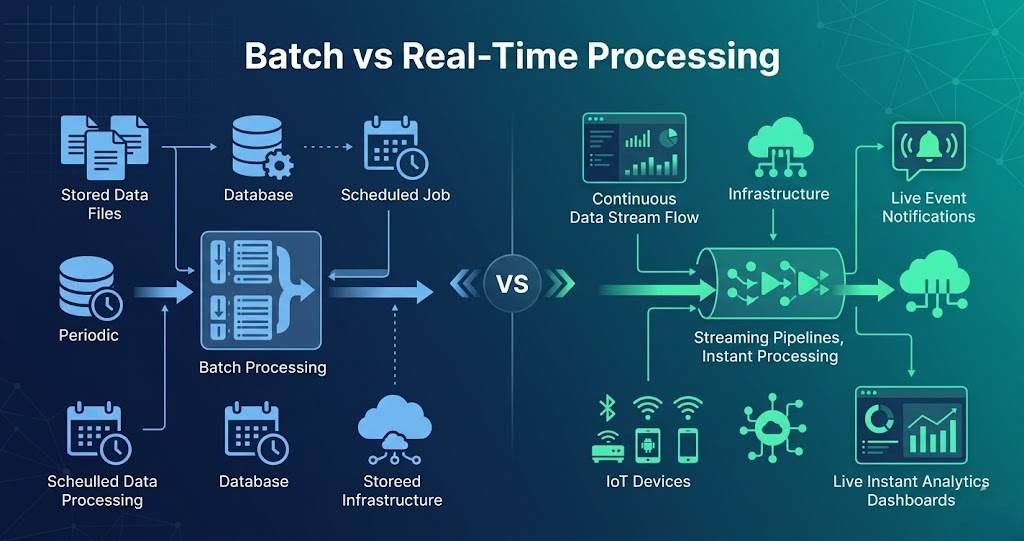
Batch vs Real-Time Processing – What’s the Difference and When to Use?
Batch vs Real-Time Processing – Difference, Examples, and Use Cases Introduction Trying to understand batch vs real-time processing but getting confused? You’re not alone. Most people: But when asked the difference in real systems, they get stuck. Because knowing definitions is not equal to understanding how data is processed. In this blog, you’ll understand: Batch vs Real-Time Processing in One Line Batch processing handles large volumes of data at scheduled intervals, while real-time processing handles data instantly as it arrives. What is Batch Processing? Batch processing means processing data in bulk. Data is collected over time and processed together. In simple terms: Data is processed after some delay. Batch Processing Flow Example: Daily sales report processed at midnight. What is Real-Time Processing? Real-time processing means processing data instantly. Data is processed as soon as it arrives. In simple terms: Data is processed immediately. Real-Time Processing Flow Example: Payment transaction processing. Batch vs Real-Time Processing Difference Batch Processing: Real-Time Processing: Batch vs Real-Time Processing Batch: Real-Time: Batch vs Real-Time Example Batch Example: Real-Time Example: When to Use Batch Processing Use batch when: When to Use Real-Time Processing Use real-time when: Why Both are Used Together In real projects, both are used. Flow: Real-World Example E-commerce pipeline: Real-Time: Batch: Common Mistakes
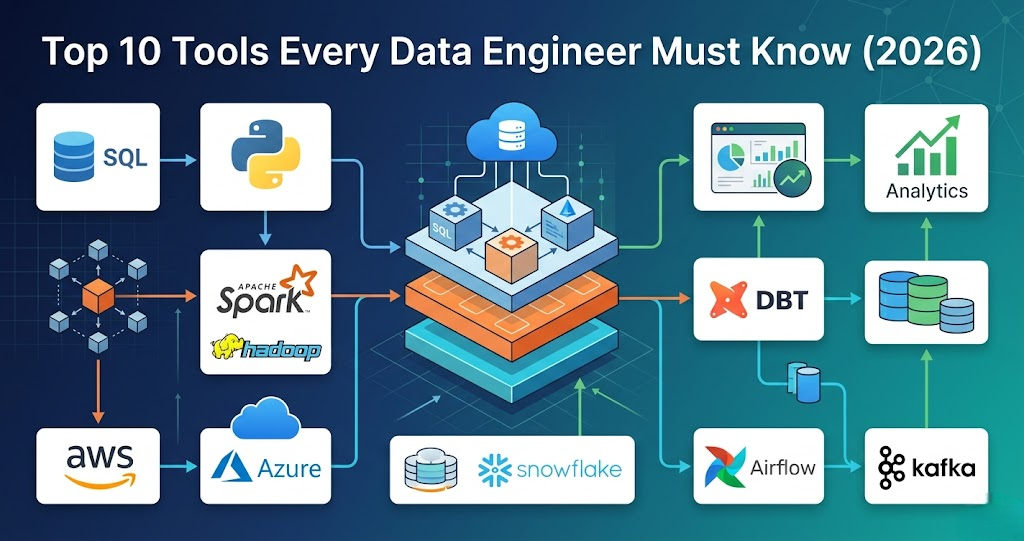
Top 10 Tools Every Data Engineer Must Know (Complete Guide 2026)
Introduction Trying to learn Data Engineering but confused about which tools are actually important? You’re not alone. Most people: But when asked what tools are used in real data engineering projects, they get stuck. Because knowing many tools is not equal to knowing the right tools. In this blog, you’ll understand: Data engineering tools are used to collect, store, process, and analyze data in pipelines. 1. SQL (Most Important Tool) SQL is used for: In real projects: SQL is used in almost every step of the pipeline. 2. Python (Core Programming Language) Python is used for: Used with: 3. Apache Spark (Processing Engine) Spark is used for: In real projects: Spark handles big data processing. 4. Apache Hadoop (Storage + Processing) Hadoop provides: Used for: 5. AWS (Cloud Platform) AWS is widely used in data engineering. Services include: Used to build full pipelines. 6. Azure (Cloud Platform) Azure provides: Used for enterprise data pipelines. 7. Databricks (Spark Platform) Databricks is used for: Makes Spark easier to use. 8. Apache Airflow (Orchestration) Airflow is used for: Controls pipeline execution. 9. Kafka (Streaming Platform) Kafka is used for: Used when data comes continuously. 10. Data Warehouse (Analytics Layer) Examples: Used for: How These Tools Work Together In real projects: Real-World Example E-commerce pipeline: Common Mistakes
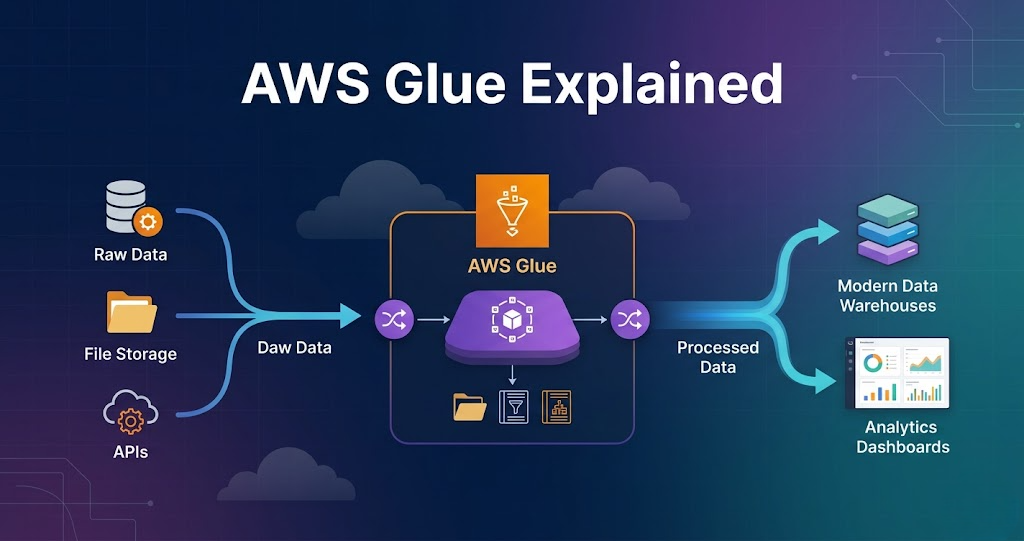
AWS Glue Explained with Real Example (Complete Guide for Data Engineers 2026)
AWS Glue Explained with Real Example – Complete Guide for Data Engineers Introduction Trying to learn AWS Glue but feeling confused how it is actually used in real data engineering projects? You’re not alone. Most people: But when asked how AWS Glue fits into a real data pipeline, they get stuck. Because knowing AWS Glue features is not equal to knowing how it is used in real projects. In this blog, you’ll understand: What is AWS Glue? AWS Glue is a serverless data processing service used for ETL (Extract, Transform, Load). AWS Glue is used to process and transform data. AWS Glue in Data Engineering In real projects, AWS Glue is used for: AWS Glue is the core processing layer in AWS pipelines. Step 1: Data Source (Where Data Starts) Data comes from: Example: Data is stored in Amazon S3 raw layer. Step 2: Glue Crawlers (Schema Detection) Glue crawler scans data. It: Stored in: This helps query data easily. Step 3: Glue Jobs (Core Processing) Glue jobs perform transformations. Using: Tasks include: This is where real processing happens. Step 4: Transformations Common transformations: Flow: Read → Transform → Write Step 5: Data Output Processed data is written to: Data is stored in: Step 6: Integration with Other Services AWS Glue works with: Flow: Lambda → Glue → S3 → Redshift Step 7: Scheduling and Automation Glue jobs can be: Ensures pipelines run automatically. Step 8: Monitoring and Logging Glue provides: Used for debugging. Real Example (End-to-End Pipeline) E-commerce pipeline: Why AWS Glue is Important Without Glue, processing becomes complex. Common Mistakes
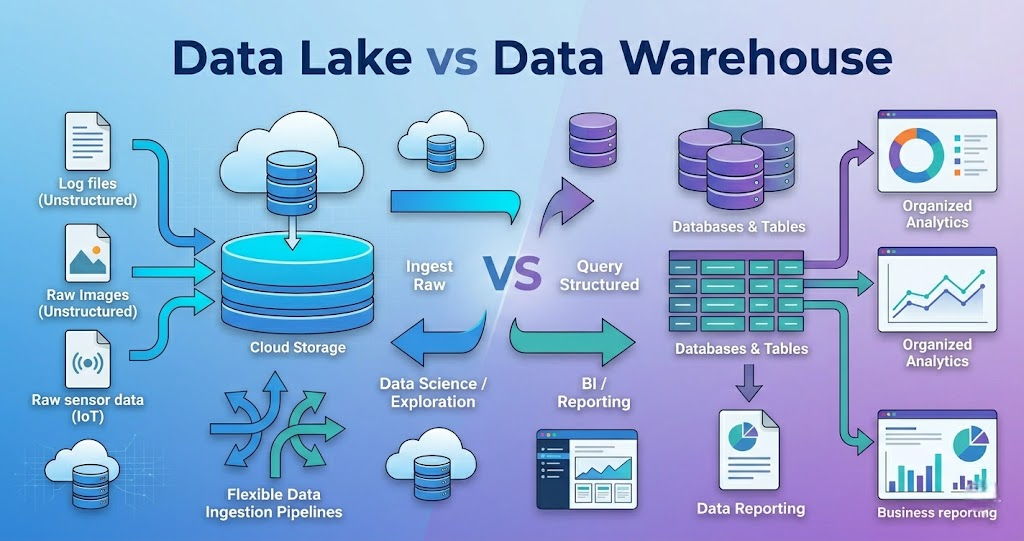
Data Lake vs Data Warehouse in Data Engineering – Key Differences and Use Cases
Introduction Trying to understand Data Lake vs Data Warehouse but getting confused? You’re not alone. Most people: But when asked the difference in real projects, they get stuck. Because knowing definitions is not equal to understanding how data is stored and used. In this blog, you’ll understand: A Data Lake stores raw data, while a Data Warehouse stores processed and structured data for analytics. What is a Data Lake? A Data Lake is a storage system that stores data in raw format. It stores: In simple terms: Data Lake stores everything as it is. Data Lake Flow Example: API → S3 → Processing What is a Data Warehouse? A Data Warehouse is used to store processed and structured data. It stores: In simple terms: Data Warehouse stores data for reporting and analytics. Data Warehouse Flow Example: API → Processing → Redshift Data Lake vs Data Warehouse Difference Data Lake: Data Warehouse: Data Lake vs Data Warehouse Data Lake: Data Warehouse: Data Lake vs Data Warehouse Example Data Lake Example: Data Warehouse Example: When to Use Data Lake Use Data Lake when: When to Use Data Warehouse Use Data Warehouse when: Why Both are Used Together In real projects, both are used. Flow: Real-World Example Retail pipeline: Common Mistakes
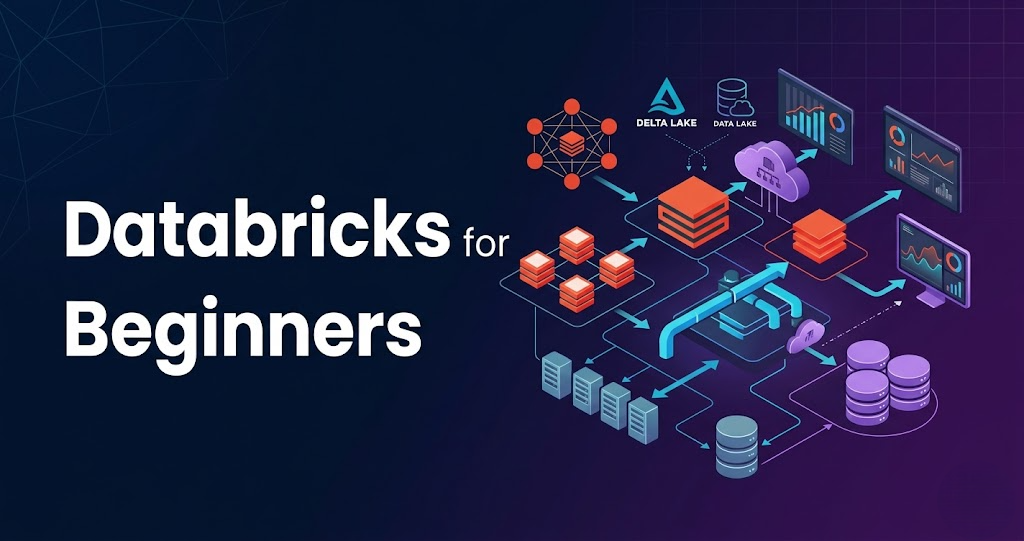
Databricks Complete Guide for Beginners (Step-by-Step 2026)
Introduction Trying to learn Databricks but feeling confused how it is actually used in real data engineering projects? You’re not alone. Most people: But when asked how Databricks fits into a real data pipeline, they get stuck. Because knowing Databricks features is not equal to knowing how it is used in real projects. In this blog, you’ll understand: What is Databricks? Databricks is a cloud-based platform built on Apache Spark. It is used for: In simple terms: Databricks is a platform that runs Spark and makes it easier to use. Step 0: Setup (Before Everything) Before using Databricks, setup is required. In real projects: Ensures: Step 1: Data Storage (Where Data Lives) Databricks does not store data permanently. Data is stored in: Databricks reads and writes data from these systems. Step 2: Clusters (Execution Engine) Cluster is the core of Databricks. Cluster is a group of machines. It is used to: Without cluster, nothing runs. Step 3: Notebooks (Development Layer) Notebooks are used to write code. Supported languages: Used for: Step 4: Data Processing (Core Layer) This is where real work happens. Using Spark: Flow: Read → Transform → Write Step 5: Job Execution Databricks allows scheduling jobs. You can: Used for production pipelines. Step 6: Integration with Pipelines Databricks works with: Flow: Orchestration tool → Databricks → Process data Step 7: Monitoring and Debugging Databricks provides: Used for debugging issues. Step 8: Security and Access Control Security is managed using: Ensures secure data pipelines. Step 9: Data Pipeline Flow Complete pipeline: Real-World Example E-commerce pipeline: Why Databricks is Important Without Databricks, Spark becomes harder to manage. Common Mistakes
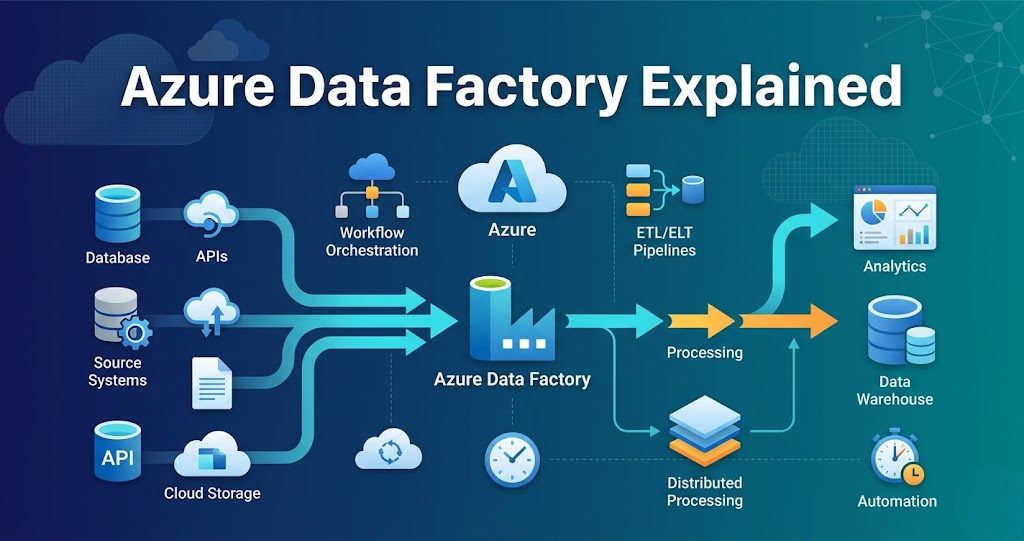
Azure Data Factory Explained for Data Engineers (Real Use Cases 2026)
Azure Data Factory Explained – Complete Guide for Data Engineers 2026 Introduction Trying to learn Azure Data Factory but feeling confused how it is actually used in real data engineering projects? You’re not alone. Most people: But when asked to build an end-to-end data pipeline, they get stuck. Because knowing Azure Data Factory features is not equal to knowing how to connect them in real projects. In this blog, you’ll understand: What is Azure Data Factory? Azure Data Factory is a cloud service used for: Using services like: In simple terms: You use Azure Data Factory to move data and control the pipeline. Step 0: Setup (Foundation Before Everything) Before building pipelines, setup is required. In real projects, everything is created using automation. Tools used: Used for: Ensures: Step 1: Data Storage (Data Lake Foundation) Every pipeline starts with storage. Azure Data Lake is used to store: Typical structure: Without proper storage design, pipelines become difficult to manage. Step 2: Data Ingestion (How Data Enters) Azure Data Factory is mainly used for ingestion. Data comes from: Using: Example: Database → Data Lake using Data Factory Step 3: Pipelines (Core Control Layer) Pipeline is the main component. Pipeline is a collection of activities. It controls: Without pipelines, there is no workflow. Step 4: Activities (Execution Units) Activities are tasks inside pipelines. Examples: Each activity performs a specific operation. Step 5: Triggering Processing (Integration with Databricks) Azure Data Factory does not process heavy data. It triggers: Flow: Data Factory → Databricks → Process data This is where real data transformation happens. Step 6: Orchestration (Pipeline Automation) Pipelines are automated. Using: Ensures: Step 7: Monitoring and Logging Production pipelines must be monitored. Using: Tracks: Step 8: Security and Access Control Security is critical. Used for: Ensures: Step 9: Data Quality and Validation Data must be validated. Checks include: Ensures reliable pipelines. Step 10: CI/CD (Deployment Automation) Pipelines are deployed using automation. Flow: Removes manual effort. Step 11: Execution Layer Processing happens in: Data Factory only controls execution. Step 12: End-to-End Azure Data Pipeline Putting everything together: