

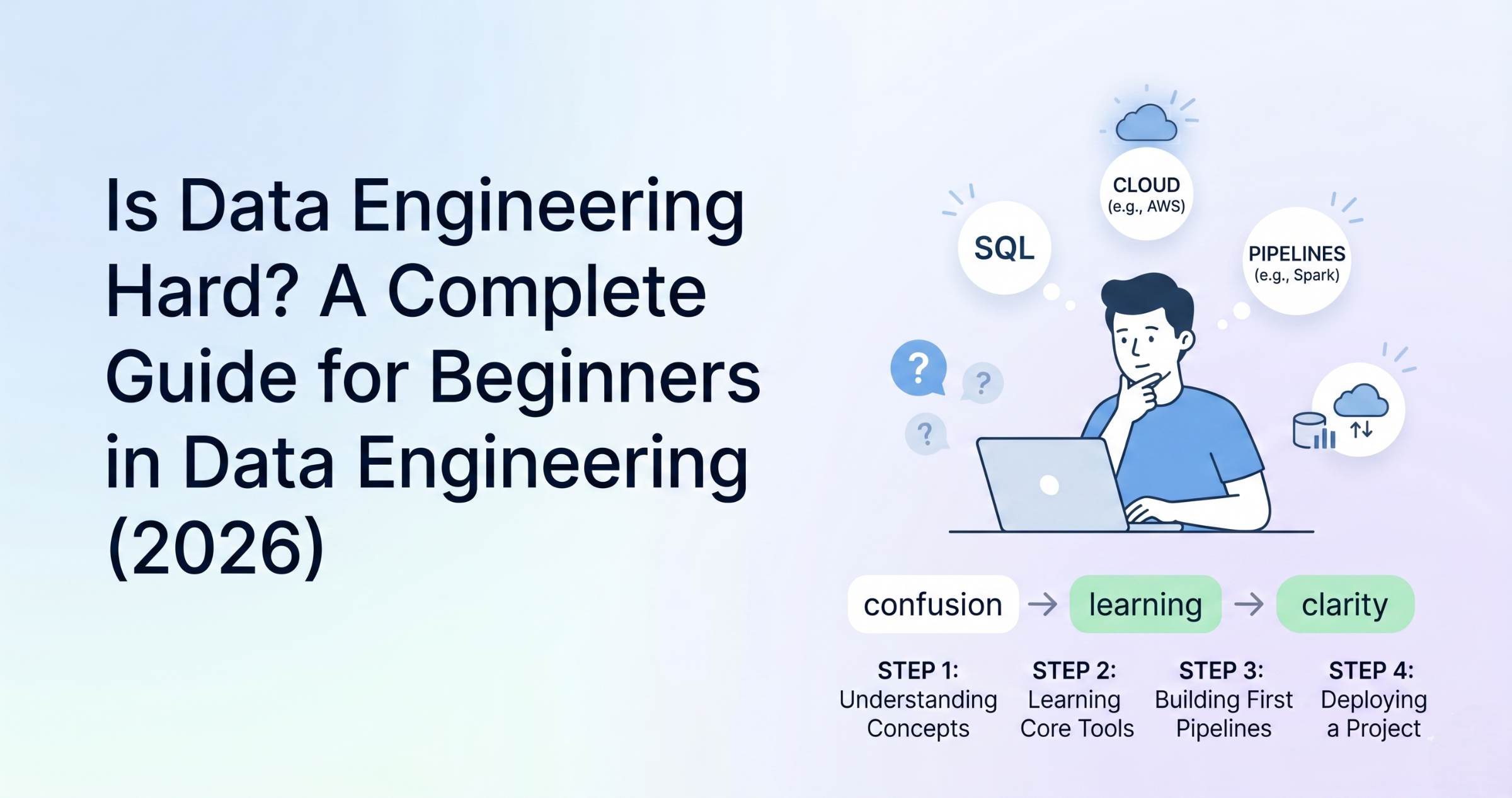
Is data engineering hard? This is one of the most common questions beginners ask before starting their journey. The honest answer is, it can feel difficult at the beginning, but it is not impossible. Most people feel confused because there are many tools, technologies, and concepts to learn. This can make the field look complicated. But if you follow the right approach and learn step by step, data engineering becomes much easier over time. Why Data Engineering Feels Hard The main reason data engineering feels hard is because there are many things to learn. You need to understand SQL, some programming, data processing, and cloud platforms like AWS or Azure. Beginners often try to learn everything at once. This creates confusion and makes learning stressful. Instead of building strong basics, they jump between tools and lose clarity. Another reason is that most tutorials only explain tools. They do not show how everything works together in real projects. Because of this, many people struggle to understand how data flows in real systems. Also, in real-world projects, data is not always clean. You may face missing data, errors, or system failures. Without practice, these problems can feel difficult. But once you start working on real examples, these challenges become easier to handle. What Makes Data Engineering Easier Data engineering becomes easier when you focus on basics first. Instead of learning many tools, start with core concepts like how data moves from source to storage, how pipelines work, and how data is transformed. Once you understand these basics, learning tools becomes much faster and less confusing. It also helps to learn step by step: Practicing small projects regularly will improve your understanding. For example, you can build a simple pipeline that reads data, processes it, and stores it. These small steps build confidence. Over time, things that felt hard will become simple. Learning Curve in Data Engineering At the beginning, the learning curve can feel slow. You may not understand everything immediately, and that is normal. Many beginners feel stuck in the first few weeks because everything is new. But if you stay consistent, things start to make sense. After some time, concepts begin to connect. You will understand how systems work together, and learning becomes faster. Even experienced data engineers keep learning new tools and technologies. So you don’t need to know everything at once. Focus on progress, not perfection. Is Data Engineering Hard for Beginners? For beginners, data engineering can feel challenging in the beginning, especially if you are new to coding or databases. But it is completely possible to learn. The key is to: If you follow a structured path, learning becomes much easier. Also, learning from real examples and projects helps a lot. Instead of only reading theory, try to build something small. This will improve your understanding quickly. Common Mistakes Beginners Make Many beginners make a few common mistakes that make data engineering feel harder than it actually is. They try to learn too many tools at once, which leads to confusion. They also skip fundamentals like SQL and jump directly into advanced topics. Another mistake is not practicing enough. Without hands-on work, it is difficult to understand how things work in real scenarios. Avoiding these mistakes can make your learning journey much smoother. Data engineering is not too hard, but it does require effort and consistency. The difficulty depends on how you learn. If you try to learn everything at once, it will feel hard. But if you go step by step and focus on basics, it becomes manageable. Anyone can learn data engineering with the right approach. Start small, stay consistent, and keep practicing. Over time, you will gain confidence and build strong skills.onsistent, and keep practicing. Over time, you will gain confidence and build strong skills.
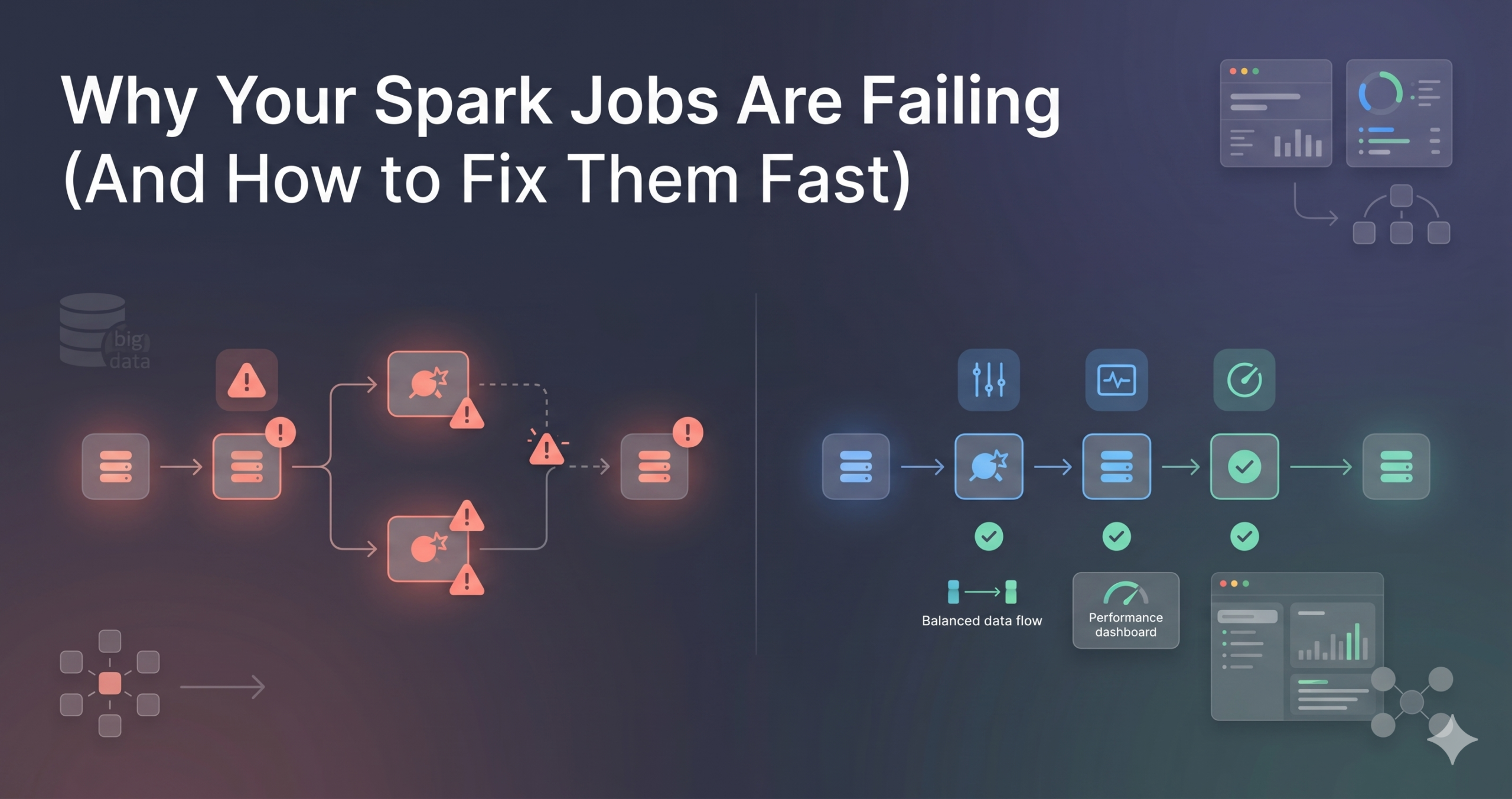
Why Your Spark Jobs Are Failing (And How to Fix Them Fast)
Apache Spark is one of the most widely used tools in data engineering, but many developers struggle with frequent job failures. These failures are not always due to complex issues; in most cases, they result from common mistakes in data handling, resource management, or pipeline design. Understanding why Spark jobs fail is essential because failures can delay pipelines, impact data reliability, and increase operational costs. This article explains the most common reasons behind Spark job failures and how to fix them quickly in real-world scenarios. Common Reasons Spark Jobs Fail One of the most frequent causes of Spark job failure is memory issues. Spark processes large volumes of data in distributed environments, and if executors do not have enough memory, jobs can crash with out-of-memory errors. This often happens when large datasets are collected into memory using operations like collect() or when improper partitioning leads to uneven data distribution. Another major reason is data skew. When data is not evenly distributed across partitions, some tasks take significantly longer than others, causing performance bottlenecks or even job failures. Skew typically occurs during joins or aggregations where certain keys have disproportionately large amounts of data. Incorrect configurations also lead to failures. Spark jobs rely heavily on configurations such as executor memory, number of cores, and shuffle partitions. Using default configurations without considering the data size or workload can result in inefficient execution or crashes. Dependency and environment issues are also common. Missing libraries, version mismatches, or incorrect cluster configurations can prevent Spark jobs from running successfully. This is especially common when deploying jobs across different environments like development, staging, and production. Data-related issues cannot be ignored. Corrupt files, schema mismatches, or unexpected null values can break transformations and cause job failures. Without proper validation, even a small inconsistency in data can propagate errors through the pipeline. How to Fix Spark Job Failures Quickly The first step in fixing Spark job failures is to monitor logs effectively. Spark provides detailed logs that help identify where and why a job failed. By analyzing executor logs and driver logs, you can quickly pinpoint issues such as memory errors, failed tasks, or data inconsistencies. Optimizing memory usage is critical. Avoid using operations that bring large datasets into memory, and instead use distributed processing techniques. Properly configure executor memory and use caching only when necessary to prevent memory overflow. Handling data skew is another important fix. Techniques such as salting keys, increasing partition counts, or using broadcast joins can help distribute data more evenly across nodes. This improves performance and reduces the risk of failures. Configuration tuning plays a key role in stability. Adjust parameters like spark.sql.shuffle.partitions, executor instances, and memory allocation based on workload requirements. Testing configurations with sample data before running full-scale jobs can prevent unexpected crashes. Data validation should be implemented early in the pipeline. Checking schema consistency, handling null values, and validating input data before processing can prevent failures later in the pipeline. This ensures that only clean and expected data is processed. Implementing retry mechanisms can help handle temporary failures. Network issues or transient errors can cause jobs to fail, but automatic retries allow the system to recover without manual intervention. Real-World Scenario Consider a data pipeline processing e-commerce transactions. If a Spark job fails due to data skew during a join operation, the pipeline may stop completely. By identifying the skewed key and applying techniques like salting or repartitioning, the issue can be resolved quickly. Similarly, if the job fails due to memory issues, adjusting executor memory and optimizing transformations can restore stability. These practical fixes ensure that pipelines continue running without major disruptions. Best Practices to Prevent Failures Preventing Spark job failures is more effective than fixing them later. Writing optimized queries, avoiding unnecessary shuffles, and using appropriate partitioning strategies can significantly improve job performance. Monitoring tools should be used to track job execution and detect issues early. Maintaining consistent environments and dependencies across systems also reduces unexpected failures. Most importantly, building pipelines with proper error handling and validation ensures long-term reliability. Spark job failures are common, but they are often predictable and preventable. By understanding the root causes such as memory issues, data skew, configuration problems, and data inconsistencies, data engineers can quickly resolve issues and build more stable pipelines. The key is to focus on monitoring, optimization, and validation. With the right approach, Spark can deliver highly efficient and reliable data processing at scale.
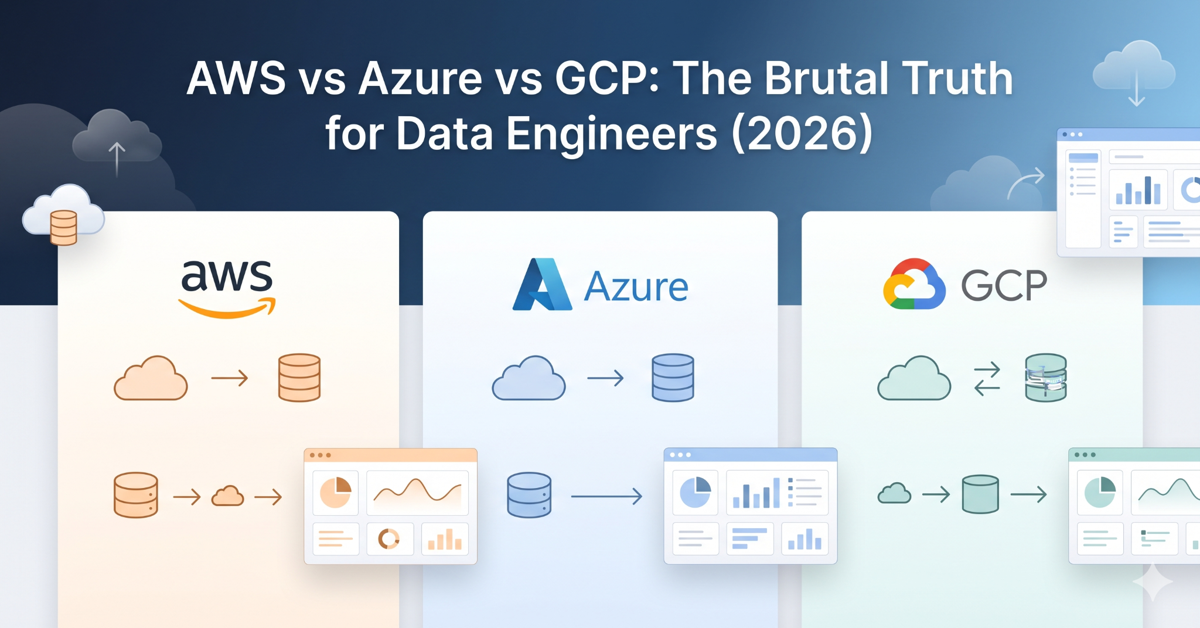
AWS vs Azure vs GCP: The Brutal Truth for Data Engineers (2026)
Choosing the right cloud platform is one of the most important decisions for any data engineer in 2026. With AWS, Azure, and GCP dominating the cloud ecosystem, the confusion is understandable. Each platform offers powerful tools, strong ecosystems, and growing demand in the job market. However, the real challenge is not just understanding the tools, but knowing which platform aligns with your career goals, learning curve, and real-world project requirements. This article breaks down the practical differences and gives you a clear, honest perspective on what actually matters. AWS, Azure, and GCP in Data Engineering AWS continues to lead the market with a wide range of mature data engineering services. Tools like S3, Glue, Redshift, and EMR are widely used in production environments. AWS is often the first choice for startups and large-scale data systems because of its flexibility and extensive documentation. However, the platform can feel complex for beginners due to the number of services and configurations involved. Azure has gained strong adoption, especially among enterprises that already use Microsoft products, and choosing between AWS and Azure depends on specific data engineering needs. Azure Data Factory, Synapse Analytics, and Azure Data Lake integrate well with tools like Power BI and other Microsoft services. This makes Azure a preferred choice for organizations that rely heavily on the Microsoft ecosystem. For learners, Azure can feel more structured and slightly easier to navigate compared to AWS. GCP focuses on simplicity and performance, particularly in analytics. BigQuery is one of the most powerful tools for data warehousing, offering fast query performance with minimal setup. Tools like Dataflow and Pub/Sub are well-designed for real-time processing. While GCP has fewer services compared to AWS, it often provides a more streamlined experience. However, its market share is smaller, which can impact job availability in certain regions. The Real Differences That Matter From a practical standpoint, the biggest differences are not just in tools, but in how each platform is used in real projects. AWS offers maximum flexibility but requires deeper understanding. Azure provides a more integrated experience, especially for enterprise workflows. GCP stands out for analytics and ease of use but has a narrower adoption base. Another important factor is the learning curve. AWS can be overwhelming at first, but mastering it gives you strong industry credibility. Azure is easier for those familiar with Microsoft tools. GCP is often the easiest to start with but may require additional effort to find opportunities depending on your location. Career Perspective for Data Engineers From a career standpoint, AWS currently offers the highest number of opportunities globally. Azure is rapidly growing in enterprise environments and is becoming equally valuable, especially in regions where Microsoft has a strong presence. GCP, while smaller, is highly valued in companies focused on advanced analytics and modern data architectures. Instead of trying to learn all three platforms at once, it is more effective to choose one platform, build strong fundamentals, and then expand your knowledge gradually. Many core concepts like data pipelines, storage, and processing remain the same across platforms. There is no single best cloud platform for data engineering. The right choice depends on your goals, background, and the type of projects you want to work on. AWS is ideal for flexibility and scale, Azure is strong in enterprise integration, and GCP excels in analytics and simplicity. The most important step is to start with one platform, gain hands-on experience, and focus on building real-world data pipelines. In the end, your understanding of data engineering concepts will matter more than the platform itself.

Why Everyone is Switching to Delta Lake in 2026
Traditional data lakes aren’t enough to meet modern demands for data, because the field is evolving so fast. Today’s organizations need systems that can handle real-time processing, ensure data reliability, and scale efficiently. Here’s where Delta Lake is a game-changer. More companies than ever are switching from data lakes to data warehouses in 2026 since they combine the flexibility of data lakes with the reliability of data warehouses. What is Delta Lake and Why It Matters With Delta Lake, you can add ACID transactions, schema enforcement, and time travel capabilities to existing data lakes. Unlike traditional data lakes, Delta Lake ensures that data is accurate and reliable. Because of this, it’s a vital part of modern data architectures, especially for companies that deal with a lot of data. Key Reasons Behind the Shift to Delta Lake Delta Lake’s ACID support is one of the main reasons it’s so popular. Traditionally, data lakes can get corrupted by concurrent writes and failures. All operations in Delta Lake are atomic and consistent, so you don’t have to worry about data reliability. Users can also access previous versions of data with its time travel feature. You can use this to debug data pipelines, audit changes, and recover from errors without losing data. In data lake environments, it’s hard to get control and transparency. Adoption is also driven by schema enforcement and evolution. By preventing invalid or unexpected data from being written, Delta Lake reduces pipeline breaks. It’s flexible enough to handle changing business requirements, while allowing schemas to evolve over time. Performance improvements make it even more popular. The speed and efficiency of queries are greatly improved by features like data skipping, file compression, and optimization techniques. By using a single system for multiple use cases, Delta Lake can handle batch and real-time workloads, simplifying data architecture for organizations. Real-World Applications Across industries, Delta Lake is used for building scalable and reliable data solutions. Real-time analytics, fraud detection systems, machine learning pipelines, and large-scale ETL processes use it. Streaming and batch data can be handled simultaneously while maintaining data consistency. Why You Should Learn Delta Lake in 2026 Delta Lake has become an essential skill for data engineers as companies adopt modern data architectures. With cloud platforms like AWS, Azure, and GCP, it integrates seamlessly with tools like Apache Spark. The Delta Lake course not only enhances your technical skills, but makes you more marketable. Delta Lake is a significant advancement in data engineering, addressing many of the limits of traditional data lakes. Providing reliable, high-performance, and scalable data processing, it’s a foundational technology in modern data systems. A growing adoption of Delta Lake in 2026 shows it’s not just a trend, but a long-term shift in data platforms.
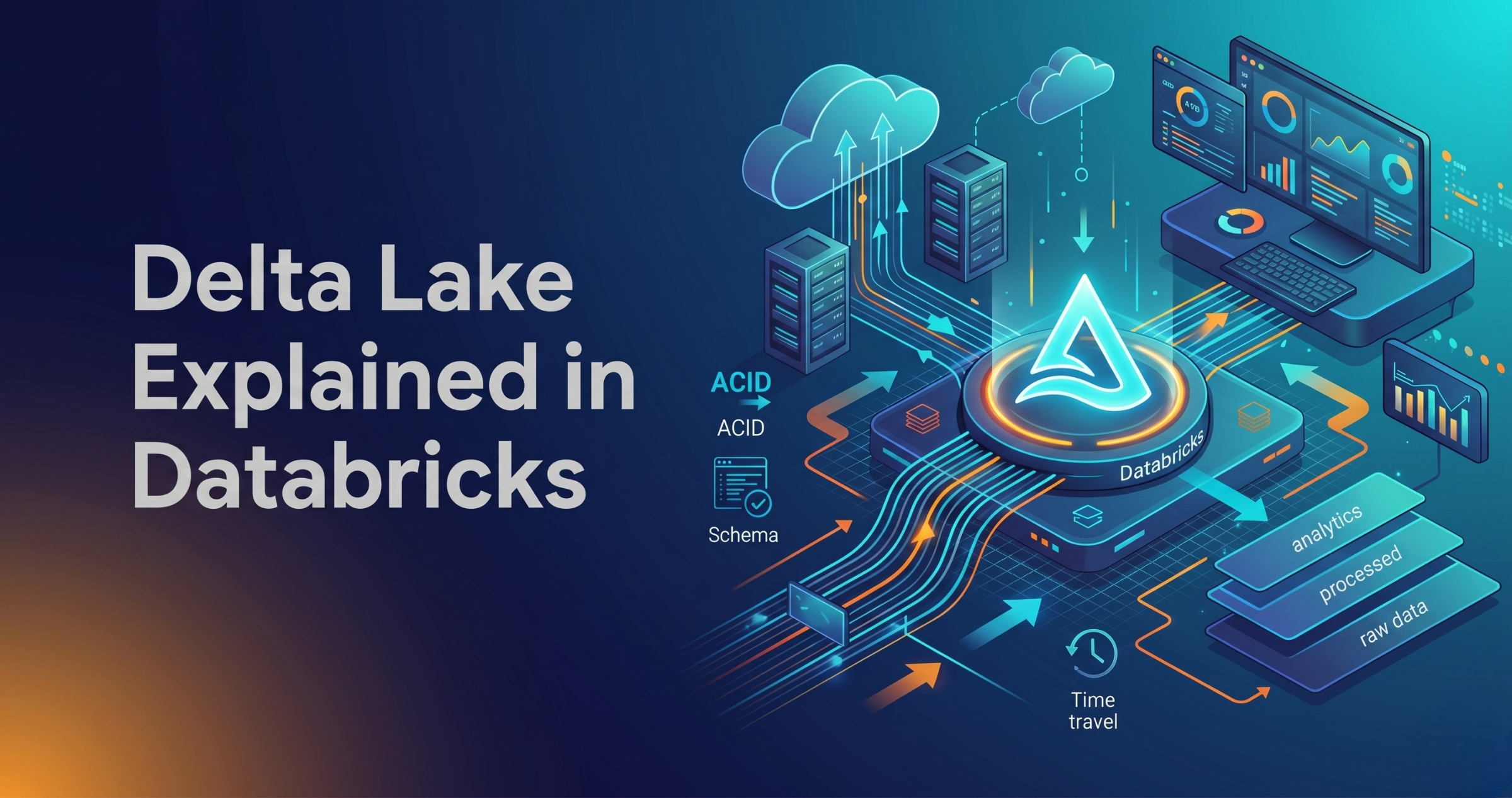
Delta Lake Explained (Databricks) – Complete Guide for Data Engineers 2026
Delta Lake Explained in Databricks – Features, Architecture, and Use Cases Introduction Trying to understand Delta Lake in Databricks but getting confused how it is used in real data engineering projects? You’re not alone. Most people: But when asked why Delta Lake is needed and how it solves real problems, they get stuck. Because knowing features is not equal to understanding how data is managed in real pipelines. In this blog, you’ll understand: What is Delta Lake? Delta Lake is a storage layer built on top of data lakes. It improves data reliability and performance. In simple terms: Delta Lake makes data lakes behave like databases. Delta Lake adds reliability, consistency, and performance to data stored in data lakes. Why Delta Lake is Needed Problems without Delta Lake: Delta Lake solves these issues. Key Features of Delta Lake ACID Transactions Ensures reliable data operations Schema Enforcement Prevents invalid data Schema Evolution Allows schema changes Time Travel Access previous versions of data Data Versioning Tracks changes over time Step-by-Step Delta Lake in Databricks Step 1: Data Storage (Raw Data) Data is stored in data lake: Initially stored as files. Step 2: Convert to Delta Format Data is converted into Delta format. This adds: Step 3: Data Processing Databricks processes data: Step 4: Manage Updates Delta Lake allows: Without rewriting full data. Step 5: Version Control Every change is tracked. You can: Step 6: Query Optimization Delta improves performance: How Delta Lake Fits in Data Pipeline Typical flow: Real-World Example E-commerce pipeline: Delta Lake vs Traditional Data Lake Traditional Data Lake: Delta Lake: Common Mistakes
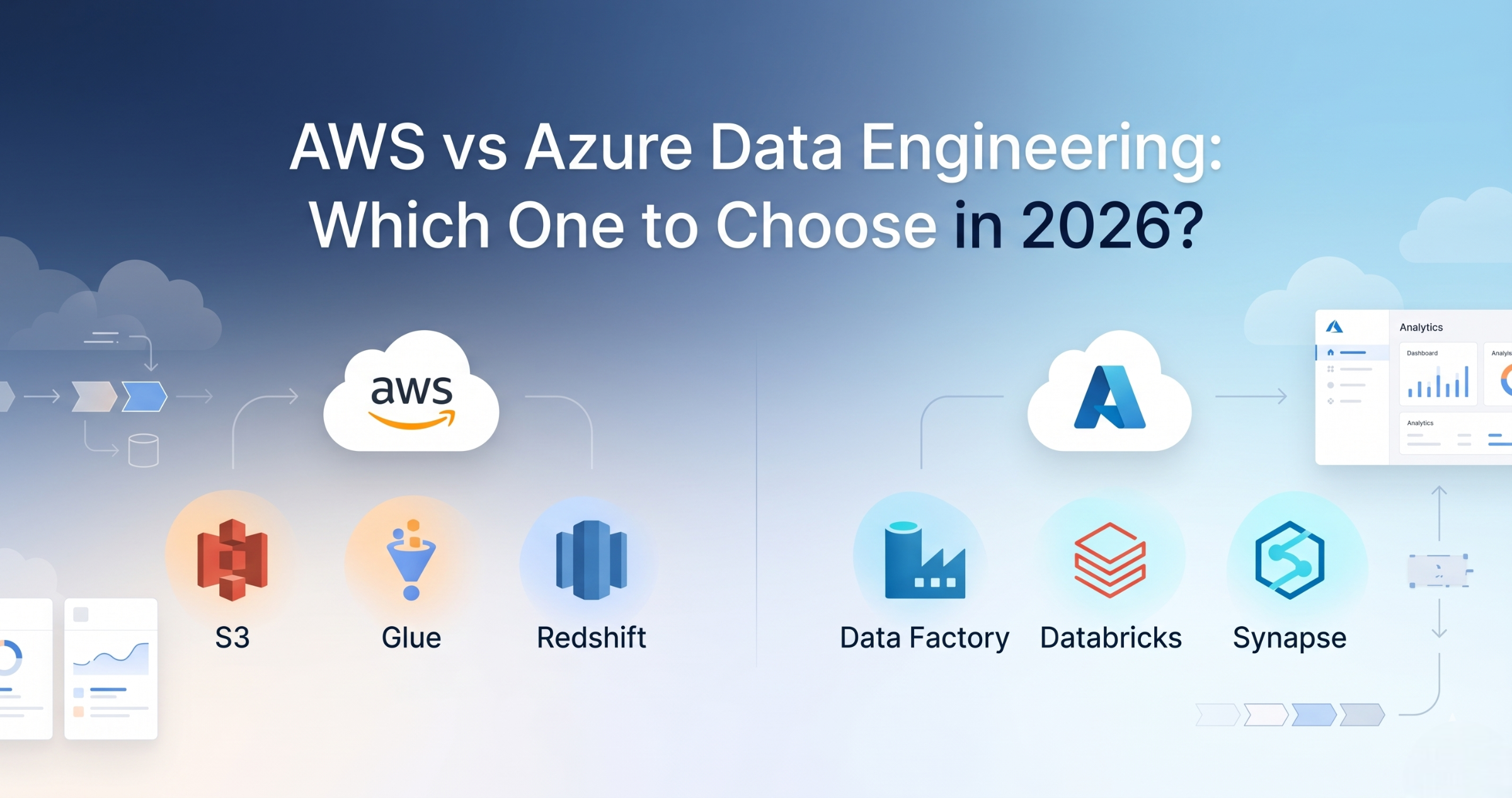
AWS vs Azure Data Engineering – Career Comparison (Which One to Choose in 2026)
Introduction Trying to choose between AWS and Azure for Data Engineering but feeling confused? You’re not alone. Most people: But when deciding which one to choose for career, they get stuck. Because knowing tools is not equal to knowing which path is better for your career. In this blog, you’ll understand: AWS and Azure both provide similar data engineering services, but AWS is more widely used, while Azure is strong in enterprise environments. What is AWS Data Engineering? AWS Data Engineering uses cloud services like: Used for building data pipelines on AWS cloud. What is Azure Data Engineering? Azure Data Engineering uses services like: Used for building pipelines on Azure cloud. AWS vs Azure Data Engineering Difference AWS: Azure: AWS vs Azure Services Mapping Storage: Processing: Orchestration: Warehouse: Career Opportunities AWS: Azure: Salary Comparison Both offer similar salary ranges. Depends on: No major difference in pay. Learning Curve AWS: Azure: Which One Should You Choose? Choose AWS if: Choose Azure if: Best Approach (Real Advice) Don’t choose only one. Start with AWS → Then learn Azure basics. Because in real projects: Companies expect multi-cloud knowledge. Real-World Scenario Company setup: Same concepts apply in both AWS and Azure. Common Mistakes
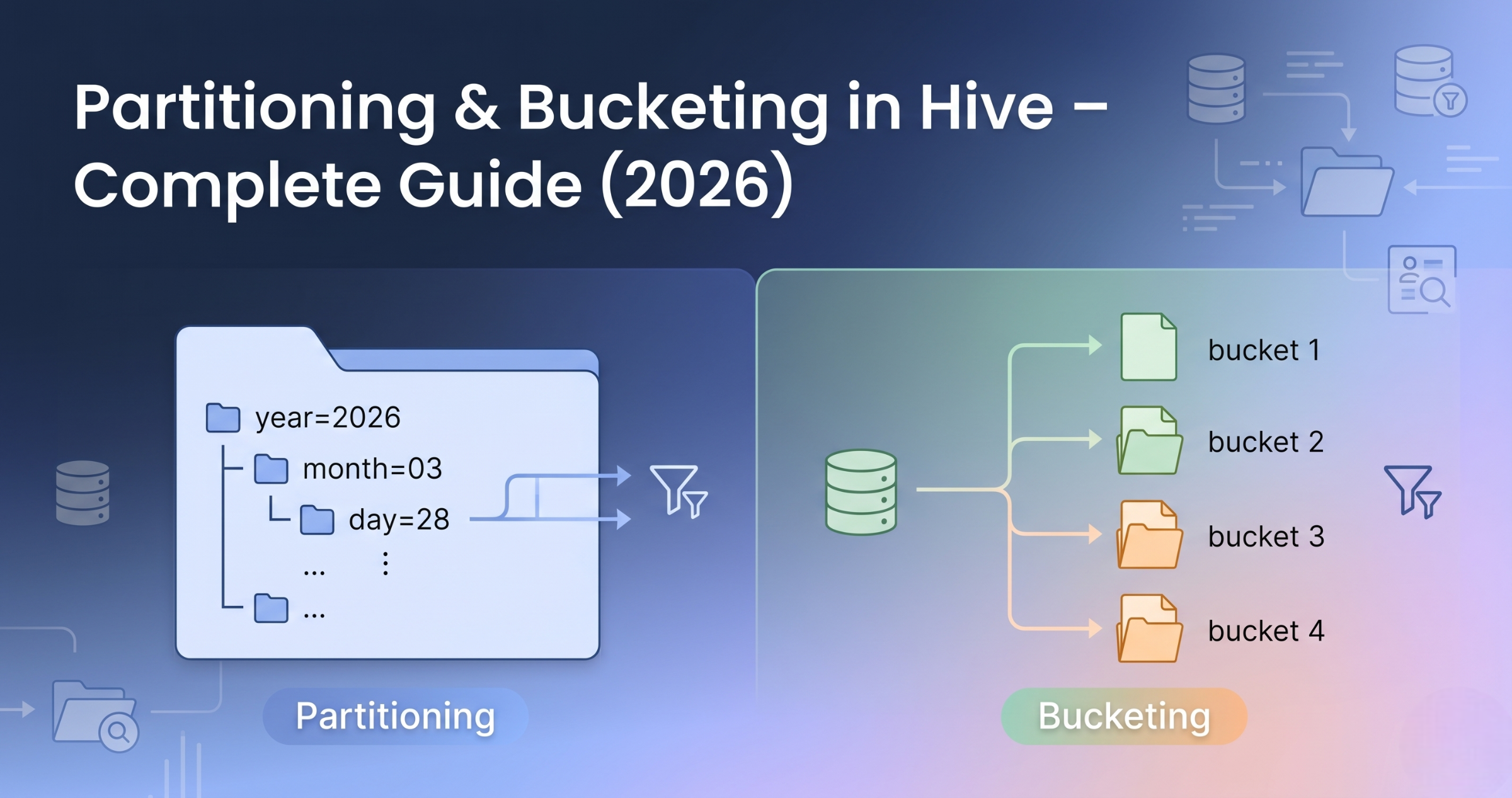
Partitioning & Bucketing in Hive – Complete Guide (Real Scenarios 2026)
Introduction Trying to understand partitioning and bucketing in Hive but getting confused? You’re not alone. Most people: But when asked how to optimize Hive queries using partitioning and bucketing, they get stuck. Because knowing Hive is not equal to knowing how data is stored and accessed efficiently. In this blog, you’ll understand: Partitioning splits data based on column values into separate folders, while bucketing divides data into fixed files based on hashing. What is Partitioning in Hive? Partitioning divides data into folders based on column values. In simple terms: Data is stored in separate directories based on partition column. Partitioning Example Data stored like: sales/year=2026/month=03/day=28/ Each partition stores specific data. Why Partitioning is Used Example: Query only one day instead of full table. When to Use Partitioning Use partitioning when: What is Bucketing in Hive? Bucketing divides data into fixed number of files. In simple terms: Data is split into equal parts using hashing. Bucketing Example Table divided into 4 buckets: Why Bucketing is Used When to Use Bucketing Use bucketing when: Partitioning vs Bucketing Difference Partitioning: Bucketing: Partitioning vs Bucketing Partitioning: Bucketing: How They Work Together In real projects, both are used. Flow: This improves performance. Real-World Example E-commerce data: Common Mistakes
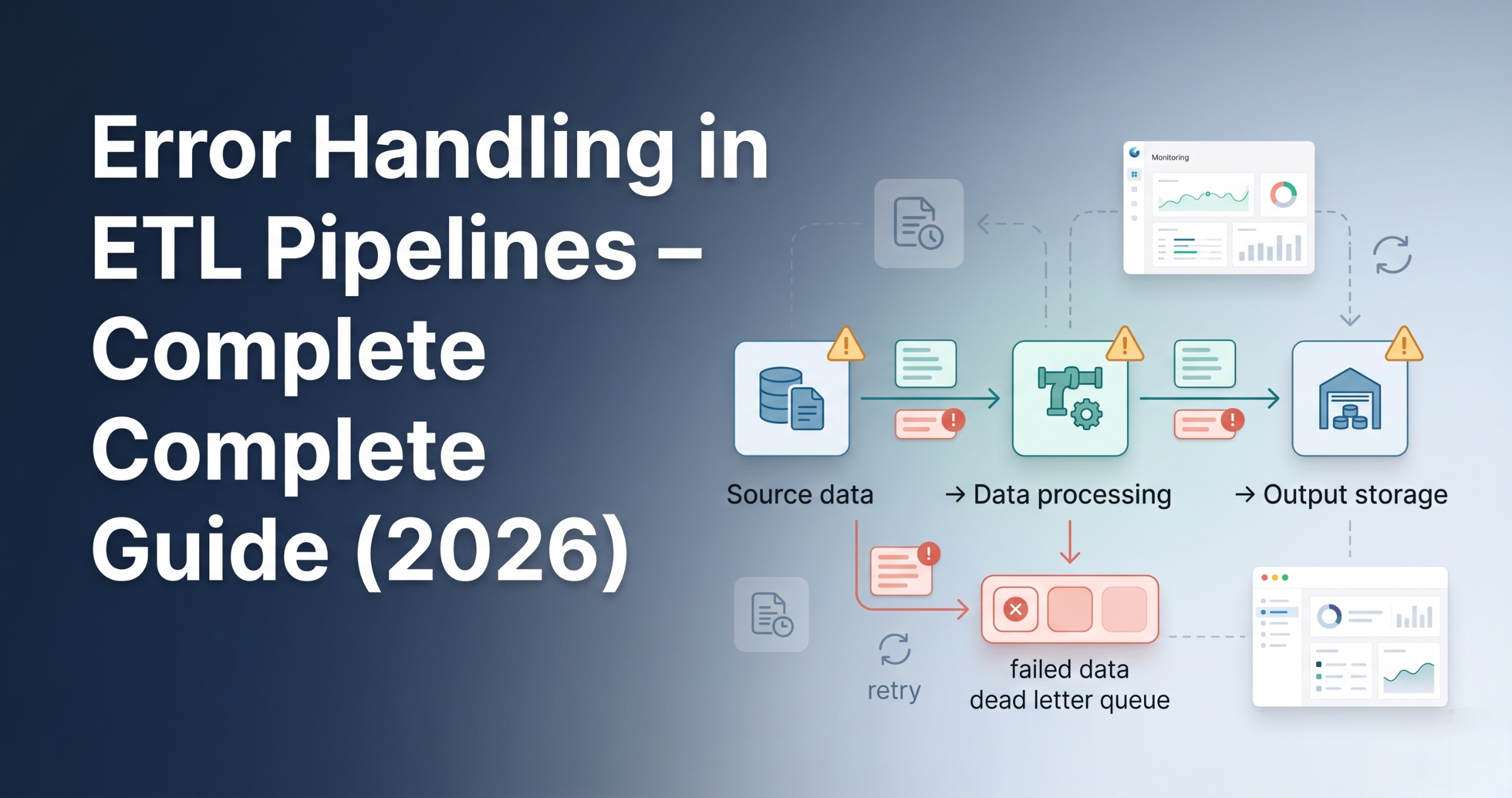
Error Handling in ETL Pipelines – Complete Guide (Real Scenarios 2026)
Error Handling in ETL Pipelines – Best Practices and Real Examples Introduction Trying to understand error handling in ETL pipelines but not sure what actually needs to be handled? You’re not alone. Most people: But ignore error handling. And in real projects, pipelines fail frequently due to data issues, system failures, or integration problems. Because without proper error handling, pipelines break and data becomes unreliable. In this blog, you’ll understand: Error handling in ETL pipelines ensures that failures are detected, logged, and managed properly without breaking the entire pipeline. Why Error Handling is Important Without error handling, small issues can stop entire pipelines. Types of Errors in ETL Pipelines Data Errors System Errors Logic Errors Step 1: Validation Before Processing Validate data before processing. Examples: If validation fails, stop pipeline early. Step 2: Try-Catch Handling Handle errors during processing. Instead of failing entire job: Step 3: Logging Errors Every failure must be logged. Logs include: Helps in debugging. Step 4: Retry Mechanism Temporary failures should be retried. Examples: Retry logic helps recover automatically. Step 5: Dead Letter Handling Failed records should be separated. Instead of stopping pipeline: This is called dead-letter handling. Step 6: Alerts and Notifications Notify team when failure happens. Using: Ensures quick response. Step 7: Fail Fast Strategy If critical error occurs: Avoids bad data from spreading. Step 8: Partial Processing Process valid data even if some records fail. This ensures: Step 9: Monitoring and Tracking Track pipeline execution. Monitor: Step 10: Recovery Strategy After failure: Ensures no data loss. How Error Handling Fits in ETL Pipeline Typical flow: Real-World Example E-commerce pipeline: Common Mistakes
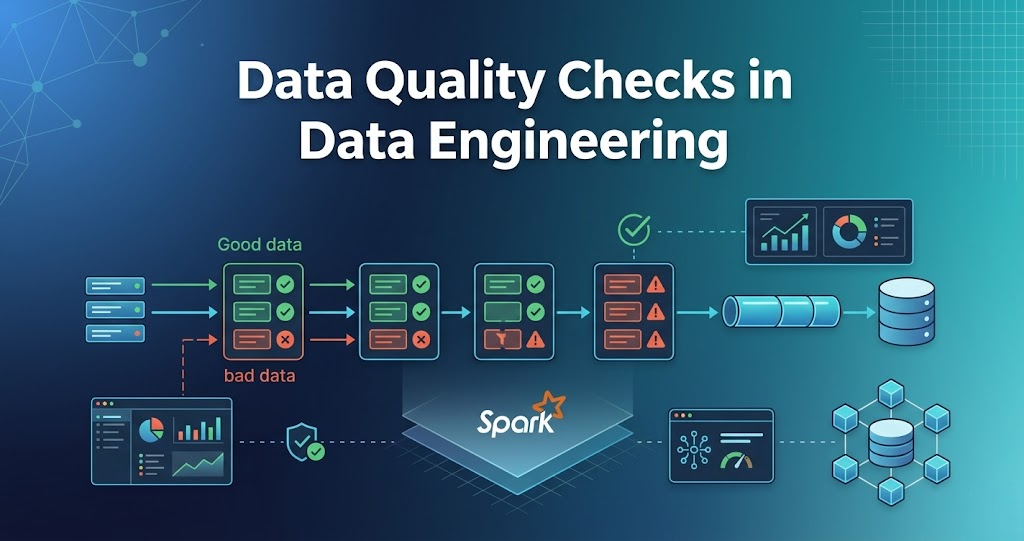
Data Quality Checks in Data Engineering – Complete Guide (Real Scenarios 2026)
Data Quality Checks in Data Engineering – Rules, Examples Introduction Trying to understand data quality checks in data engineering but not sure what actually needs to be checked? You’re not alone. Most people: But ignore data quality. And in real projects, bad data is a bigger problem than slow pipelines. Because processing wrong data gives wrong results. In this blog, you’ll understand: Data quality checks are validations applied to data to ensure it is correct, complete, and reliable before processing or analytics. Why Data Quality Checks are Important Without data quality checks, pipelines produce invalid results. Where Data Quality Checks Happen In real pipelines, checks happen at multiple stages: Step 1: Schema Validation Check if data matches expected structure. Examples: If schema is wrong, pipeline should fail. Step 2: Null Checks Check for missing values. Examples: Null values can break downstream processing. Step 3: Duplicate Checks Check for duplicate records. Examples: Duplicates create wrong analytics. Step 4: Data Type Validation Check if data types are correct. Examples: Wrong data types cause errors. Step 5: Range Checks Check if values fall within valid range. Examples: Step 6: Business Rule Validation Check based on business logic. Examples: This ensures data correctness. Step 7: Consistency Checks Check data consistency across datasets. Examples: Step 8: Data Freshness Check Check if data is up to date. Examples: Step 9: Record Count Validation Check number of records. Examples: Helps detect data loss. Step 10: Format Validation Check data format. Examples: How Data Quality Checks Fit in Pipeline Typical flow: Real-World Example E-commerce pipeline: Common Mistakes
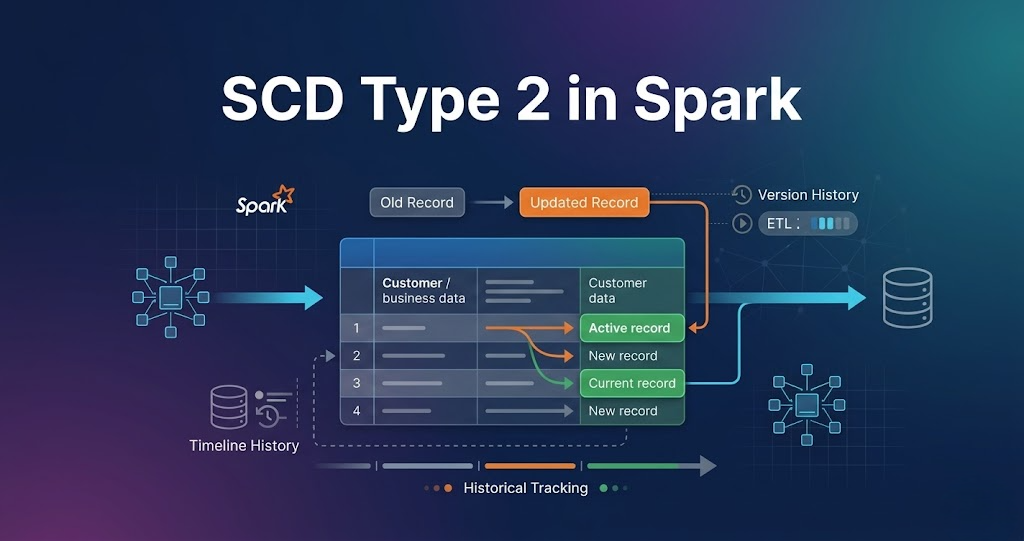
Handling Slowly Changing Dimensions (SCD Type 2 in Spark) – Complete Guide
Introduction Trying to understand SCD Type 2 in Spark but getting confused? You’re not alone. Most people: But when asked how SCD Type 2 is implemented in real data pipelines, they get stuck. Because knowing theory is not equal to knowing how data actually changes in production systems. In this blog, you’ll understand: SCD Type 2 in Spark is used to track historical data changes by inserting new records and marking old records as inactive instead of updating them. What is Slowly Changing Dimension (SCD)? Slowly Changing Dimension is used to track changes in data over time. Example: When a customer changes city, instead of updating the existing record, a new record is created and history is preserved. What is SCD Type 2? SCD Type 2 stores full history of changes. In simple terms: Whenever data changes, a new record is created, and the previous record is marked as inactive. Why SCD Type 2 is Important Without SCD Type 2, old data is lost. Key Columns in SCD Type 2 Typical columns used: These columns help track when data was valid. Real Scenario Customer changes city from Delhi to Mumbai. Instead of updating the old record: This keeps complete history. Step-by-Step SCD Type 2 in Spark (Real Flow) Step 1: Read Source Data New data comes from source systems. Step 2: Read Existing Data Existing data contains historical records. Step 3: Filter Active Records Only active records are considered for comparison. Step 4: Identify Changes New data is compared with existing active data to find changes. Step 5: Expire Old Records Old records are updated: Step 6: Insert New Records New records are inserted with: Step 7: Keep Unchanged Records Records with no changes are kept as is. Step 8: Merge All Records All records are combined: Step 9: Write Back Data Final dataset is written back to storage. SCD Type 2 Flow in Spark Real-World Pipeline SCD Type 2 in Spark is widely used in data engineering pipelines to maintain historical data. Common Mistakes These issues break SCD Type 2 implementation