

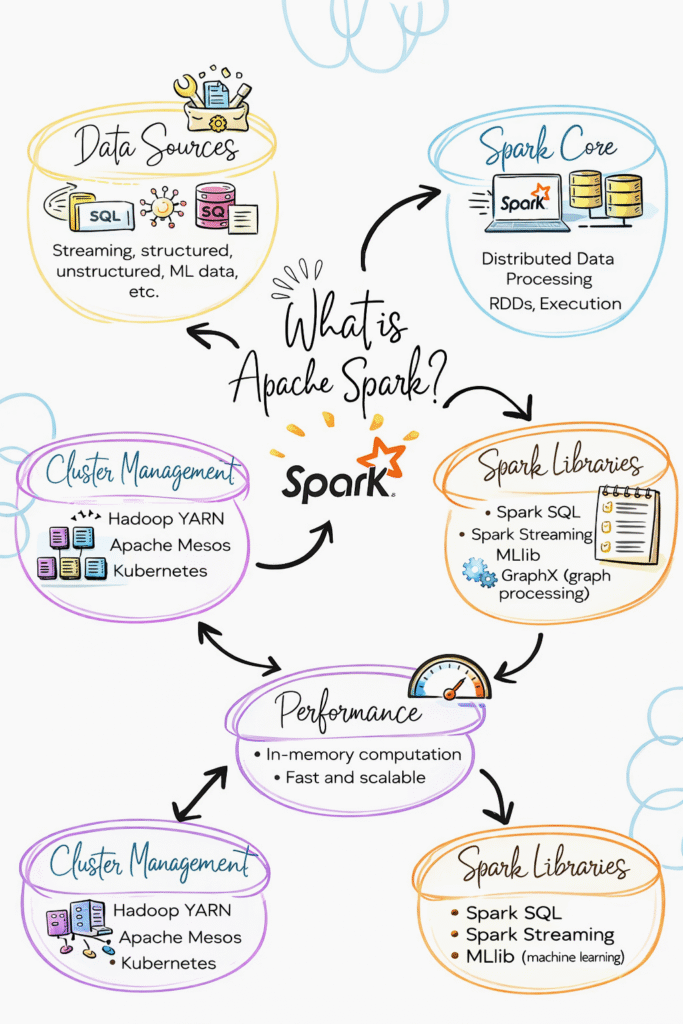
Introduction
Trying to learn Apache Spark but feeling confused where to start?
You’re not alone.
Most people:
- Learn Spark definitions
- Learn commands
- Learn syntax
But when asked how Spark works in a real data pipeline, they get stuck.
Because knowing Spark concepts is not equal to understanding how Spark processes data.
In this blog, you’ll understand:
- What Apache Spark is
- How Spark works
- Core concepts in simple terms
- How Spark is used in real data engineering
What is Apache Spark?
Apache Spark is a distributed data processing engine used to process large amounts of data.
In simple terms:
Spark is used to process big data quickly.
Apache Spark processes large data across multiple machines in parallel.
How Spark is Used in Data Engineering
In real projects, Spark is used for:
- Data processing
- Data transformation
- ETL pipelines
- Handling large datasets
Spark is the core processing engine in data pipelines.
Step 1: How Data is Processed in Spark
Spark does not process data in one machine.
It splits data into smaller parts and processes them in parallel.
Flow:
- Data is divided
- Tasks are distributed
- Processing happens in parallel
- Results are combined
This is why Spark is fast.
Step 2: Spark Architecture (Simple View)
Spark has two main parts:
Driver:
- Controls the job
- Sends tasks
Executors:
- Execute tasks
- Process data
Flow:
Driver → Executors → Result
Step 3: Transformations in Spark
Transformations are operations applied to data.
Examples:
- filter
- select
- groupBy
- map
Important:
Transformations do not execute immediately.
They are stored as a plan.
Step 4: Actions in Spark
Actions trigger execution.
Examples:
- show
- collect
- count
- write
Once an action is called, Spark runs the job.
Step 5: Lazy Execution (Important Concept)
Spark does not execute transformations immediately.
It waits until an action is called.
Then it runs everything together.
This is called lazy execution.
Step 6: Narrow vs Wide Transformations
Narrow transformations:
- Data stays in same partition
- Faster
Wide transformations:
- Data moves across partitions
- Slower
Example:
filter → narrow
groupBy → wide
Step 7: Spark in Real Data Pipeline
Typical flow:
- Data stored in S3
- Spark reads data
- Applies transformations
- Writes data back
- Used for analytics
Spark sits in the processing layer.
Real-World Example
E-commerce pipeline:
- Orders data stored in S3
- Spark processes data
- Cleans and transforms
- Stores output
- Dashboard shows results
Key Features of Apache Spark
Fast Processing
Processes data in parallel
Scalability
Handles large datasets
Fault Tolerance
Handles failures automatically
Flexibility
Supports multiple languages
Common Mistakes
- Using too many transformations
- Not understanding lazy execution
- Ignoring partitioning
- Using UDF unnecessarily
These slow down Spark jobs.
Why Spark is Important in Data Engineering
- Handles big data
- Used in ETL pipelines
- Works with cloud platforms
- Core tool in modern data systems