
Introduction
Trying to learn Databricks but feeling confused how it is actually used in real data engineering projects?
You’re not alone.
Most people:
- Learn what Databricks is
- Learn notebooks
- Learn clusters
But when asked how Databricks fits into a real data pipeline, they get stuck.
Because knowing Databricks features is not equal to knowing how it is used in real projects.
In this blog, you’ll understand:
- What Databricks is
- How it works
- Step-by-step flow
- How it fits into data pipelines
What is Databricks?
Databricks is a cloud-based platform built on Apache Spark.
It is used for:
- Data processing
- Data transformation
- Machine learning
- Analytics
In simple terms:
Databricks is a platform that runs Spark and makes it easier to use.
Step 0: Setup (Before Everything)
Before using Databricks, setup is required.
In real projects:
- Workspace is created
- Clusters are configured
- Access is managed
Ensures:
- Environment is ready
- Resources are available
Step 1: Data Storage (Where Data Lives)
Databricks does not store data permanently.
Data is stored in:
- AWS S3
- Azure Data Lake
- Other storage systems
Databricks reads and writes data from these systems.
Step 2: Clusters (Execution Engine)
Cluster is the core of Databricks.
Cluster is a group of machines.
It is used to:
- Run Spark jobs
- Process data
Without cluster, nothing runs.
Step 3: Notebooks (Development Layer)
Notebooks are used to write code.
Supported languages:
- Python
- SQL
- Scala
Used for:
- Writing transformations
- Running queries
- Testing code
Step 4: Data Processing (Core Layer)
This is where real work happens.
Using Spark:
- Read data
- Transform data
- Clean data
- Aggregate data
Flow:
Read → Transform → Write
Step 5: Job Execution
Databricks allows scheduling jobs.
You can:
- Run jobs manually
- Schedule jobs
- Automate pipelines
Used for production pipelines.
Step 6: Integration with Pipelines
Databricks works with:
- AWS Glue
- Azure Data Factory
- Airflow
Flow:
Orchestration tool → Databricks → Process data
Step 7: Monitoring and Debugging
Databricks provides:
- Job monitoring
- Logs
- Execution details
Used for debugging issues.
Step 8: Security and Access Control
Security is managed using:
- Roles
- Permissions
- Access control
Ensures secure data pipelines.
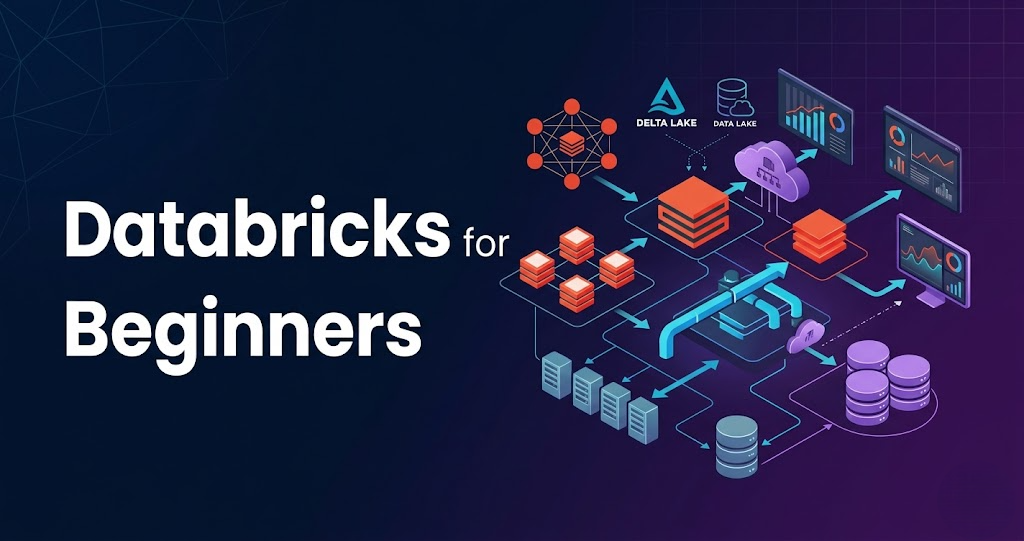
Step 9: Data Pipeline Flow
Complete pipeline:
- Data stored in S3 or Data Lake
- Databricks reads data
- Applies transformations
- Writes data back
- Used for analytics
Real-World Example
E-commerce pipeline:
- Orders data stored in S3
- Databricks processes data
- Cleans and transforms
- Stores output
- Dashboard shows results
Why Databricks is Important
- Simplifies Spark
- Handles large data
- Supports multiple languages
- Works in cloud
Without Databricks, Spark becomes harder to manage.
Common Mistakes
- Not managing clusters properly
- Ignoring cost optimization
- Writing inefficient Spark code
- Not understanding pipeline flow